
Solution / Custom VIP

Your Venue’sOwn Remote

A white-label edition of StreamVue Remote: the same control app your staff use, carrying your name, your logo, your colours and your channel logos, with only the screens and controls you choose to expose.

Built for suites, hospitality areas and premium spaces, where the control a guest or a host picks up should look like part of the venue rather than someone else’s software.

What a venue edition changes

The same app underneath, your venue on top.

Everything below comes from one settings file and a folder of brand files. Nothing is rebuilt to change it.

Your name and logo

The app carries your name on its loading screen and in the browser tab, your logo at the top of every screen, your icon when it is added to a home screen, and your own wording and picture when its link is shared on WhatsApp or iMessage.
Every colour

Backgrounds, banners, cards, text, buttons and the online, offline and warning colours all come from one palette, so a change made once shows everywhere. The palette is stamped into the page itself, so the first paint is already on-brand before the app has finished loading.

Your typeface

Supply your brand font files and the whole app uses them: body text, headings and the buttons in every pop-up.

Your channel logos

A folder of channel pictures named by channel number, grouped under your own headings and in the order you want, with channels that have not been set up yet shown or hidden.

Only the screens and controls you choose

Asset tags decide which screens the app can see, with named shortcuts such as "Suites" or "Concourse" to jump between groups. Channel tags decide which channels can be picked. Volume, power and multiview can each be switched off and either hidden or greyed out.

Admin behind a PIN

Holding the logo opens an admin menu behind a PIN. The PIN that allows a device to be un-paired and re-activated is set per venue, so a phone that walks out of the building cannot be moved to another one.

One edition, as built

Alexander Stadium, 2026

The stadium’s edition of StreamVue Remote: its own name and logo, a navy palette, the Mulish typeface, its channel artwork, and screen groups for the areas its staff work in.

  • VIP
  • Media
  • Broadcast
  • HPC
  • Working Rooms
  • West Stand Lower
  • Event Pres

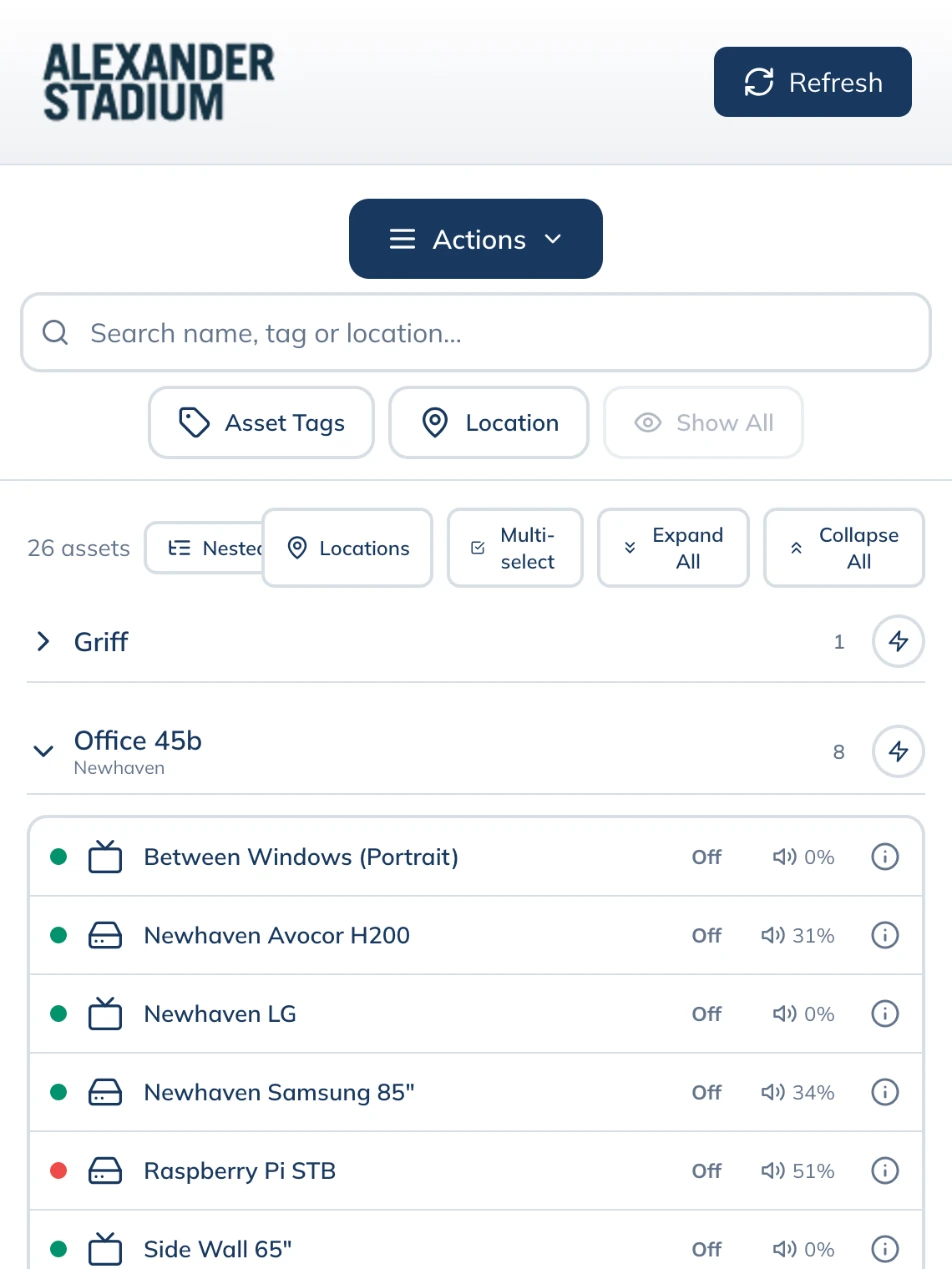
The named groups staff switch between, each one an asset tag in Conductor.

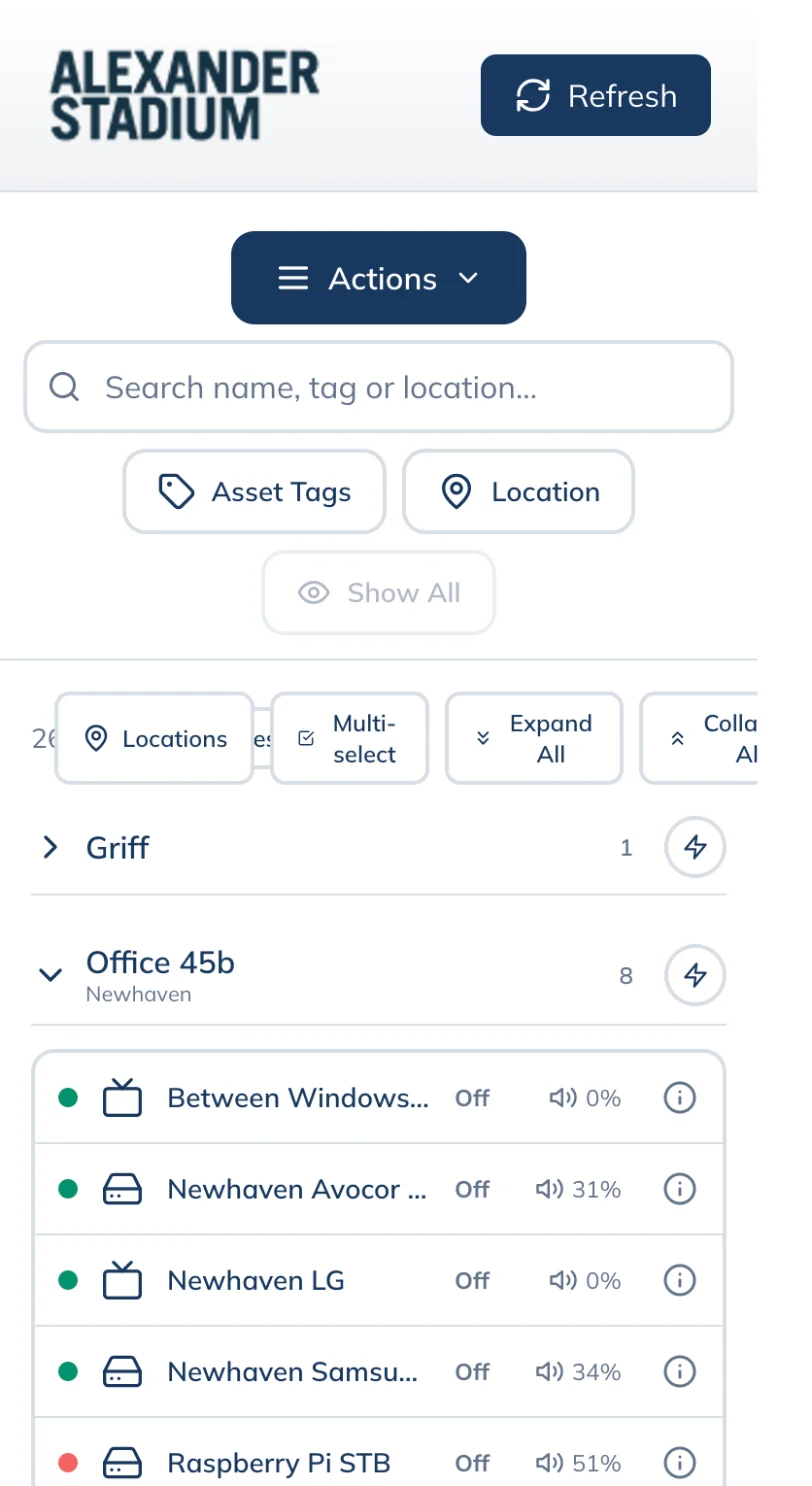
The Alexander Stadium edition of StreamVue Remote on a phone: screens grouped by location in the stadium’s navy branding
The screen list
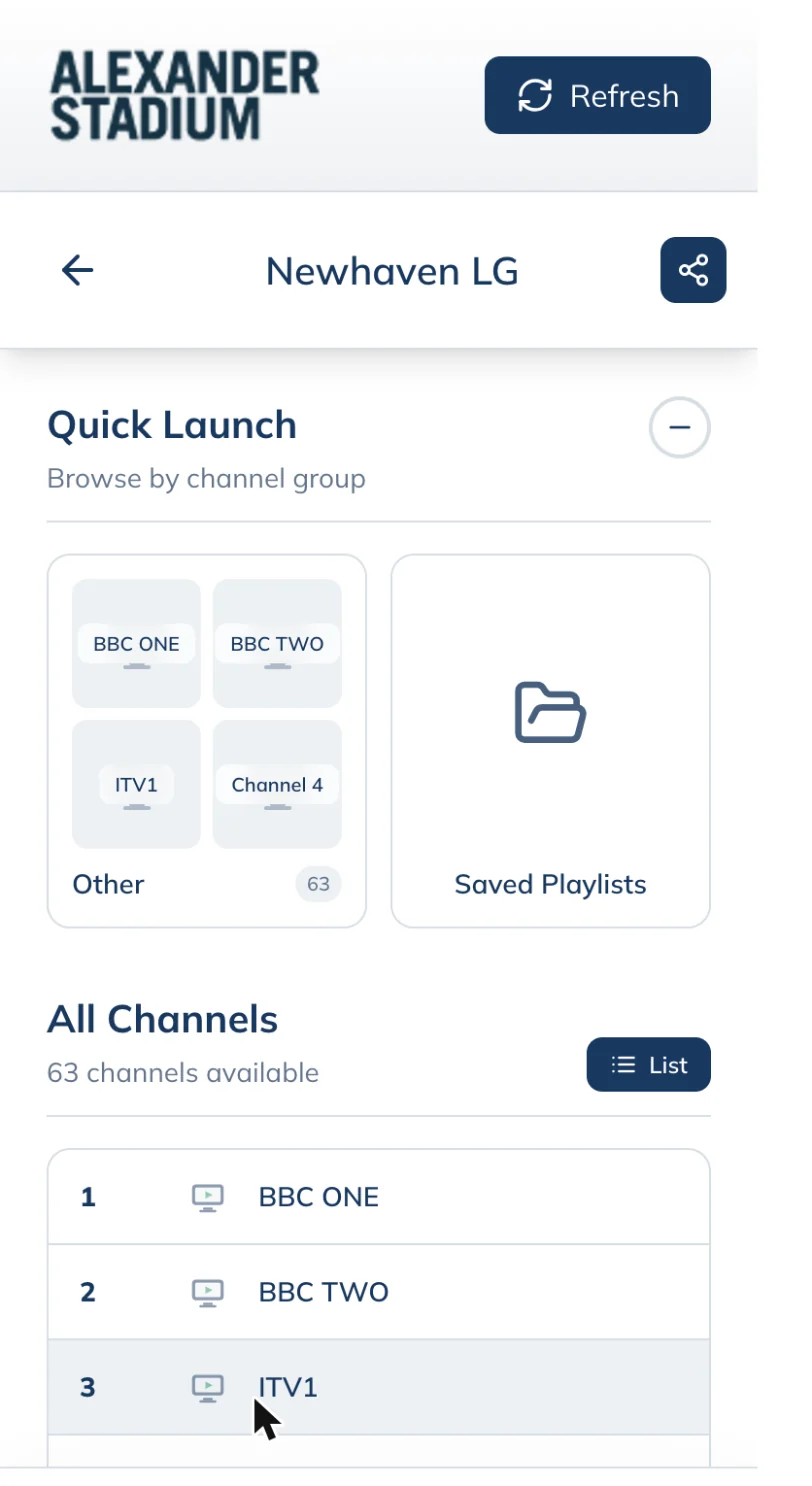
The channel list for one screen in the Alexander Stadium edition, with quick-launch channel groups
A screen’s channel list

Captured from the Alexander Stadium edition, paired for the capture to StreamVue’s own office screens rather than the stadium’s.

How an edition is made

A brand pack and a settings file, not a software project.

  1. Stage 01

    Brand pack

    You send the logo, icon, colours, typeface files and channel artwork. Nothing in the app itself is rewritten: a venue edition is a settings file and a folder of brand files laid over the standard build, so every venue runs the same software and gets the same improvements.

  2. Stage 02

    Venue settings

    Together we set which screen tags and channel tags the app may see, the named groups staff switch between, which controls are on, and the admin PIN.

  3. Stage 03

    Build and handover

    We build the edition and hand over a dated folder with a README. It is plain static files, so it runs on your own web host or on ours, and shares a proper preview when its link is passed around.

  4. Stage 04

    Pair the devices

    Each phone or tablet opens the link, shows its six-digit code, and is paired to the venue from the StreamVue console, with no passwords or server addresses typed on a device. Pairing suits temporary set-ups and basic access. For full control the edition uses the StreamVue single sign-on: the same sign-in as the website dashboard, the Chorus portal and the apps, the same privileges in each, and every action logged for audit.

  5. Later

    Change it without a rebuild

    The settings file is written to be edited by hand and re-uploaded: a new colour, a new logo or a new channel group goes live without touching the app.

Where it fits

Where a branded remote earns its place

The same controls, in the places where the branding matters.

Setting 01

Stadium and arena suites

A branded remote for suite hosts and premium hospitality.

The control a guest sees carries the venue’s name, not a supplier’s.

  • Each suite’s screens grouped under the suite’s own location
  • The channel list carrying the venue’s own channel artwork
  • A multiview on the suite’s main screen: the match, the feed and two more
  • A welcome or sponsor deck stepped from the host’s phone
  • Volume and power without a drawer of TV remotes

Setting 02

Hotels and hospitality

Bars, lounges, gyms and function rooms run by floor staff.

Staff change what guests see without a trip to a back office.

  • Screens grouped by floor and area, narrowed by tag
  • Only the channels the venue has cleared for public areas
  • A function-room screen switched to the right input and channel for an event
  • Scheduled power-off at close and power-on before opening
  • The TV’s own remote blocked in public areas

Setting 03

Offices and campuses

Reception, meeting rooms and breakout areas.

The people who run the building control the screens, not the IT desk.

  • Reception screens retuned from a phone at the desk
  • A company-wide broadcast pushed to every screen tagged for it in one go
  • A deck exported from PowerPoint shown on a meeting-room screen
  • Screens grouped by building and floor
  • Daily power schedules per building

Setting 04

Alongside room control systems

Where a venue already has wall panels for lights and blinds.

StreamVue Remote is one client of the API. Your integrator can add another.

  • Crestron, Control4, Extron, KNX, or any system that can make an HTTP call, can drive the same screens through the Chorus API
  • Power, channel and volume from the wall panel; everything else from the branded app
  • One tap on the panel can bring the lights down and switch the screen to the video-conference input

Why venues ask for it

Six reasons

What a venue gets from an edition of its own.

It looks like yours

Name, logo, colours and fonts from a brand pack

One app for every venue

No fork of the software, so every edition gets every improvement

Nothing to install

A link on a phone, a tablet or a desktop browser

Only what you allow

Screens, channels and controls set per venue

Paired, or signed in

A six-digit code for quick access, or one sign-in across dashboard, portal and apps with every action logged

Changed without a rebuild

A hand-editable settings file, re-uploaded and live

Ready for a remote in your venue’s colours?

Send us a logo and a palette and we will show you the app in your branding on your own screens. If you have not seen the standard app yet, start with what it does.