Solution / Vivo
The Head End,In One Portal
01 / What it does
Anything in, channels out
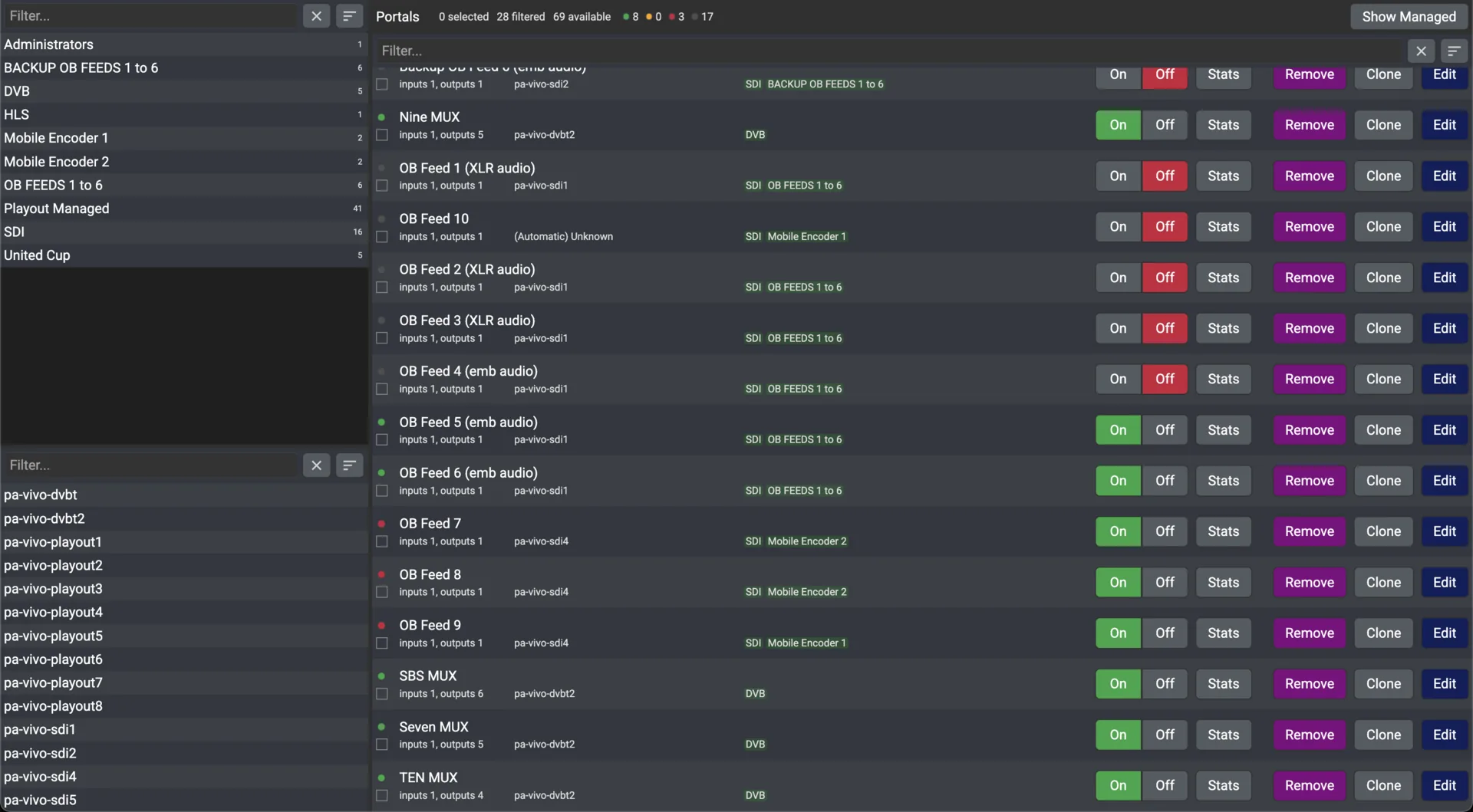
A Vivo portal is a signal path: input, processing, output. Most users never open it; it is configured during installation and the channels it makes appear in Conductor and on every screen.
Off-air television
DVB-T2 terrestrial and DVB-S2 satellite tuners split a multiplex into individual channels for the network.
Live feeds
HD and SD SDI from cameras, OB trucks and studios; HDMI for laptops and presentation sources; analogue composite for legacy kit.
Network sources
SRT, HLS, RTMP, NDI and SMPTE ST 2110 streams are ingested like any other source, from the next room or the other side of the internet.
Files and channels
A file from the Filestore played as a channel, or an existing network channel taken back in to be re-processed or re-routed.
Outputs
Multicast on the local network, SRT to a remote site, HLS by URL, RTMP, WebRTC straight into a web page, NDI, ST 2110, a recorded file, or SDI.
Profiles
Several head-end configurations stored as profiles; activate one and the whole head end reconfigures in moments.
2021
SRT and NDI
Added to the Vivo engine
2026
SMPTE ST 2110
Incorporated; Dante in progress
AES
128 / 256
SRT encryption in transit
≈1 s
SRT latency
Or less, depending on configuration
02 / Signal chain
Input, portal, output, on air
One portal per signal path. Configure what comes in, what happens to it, and where it goes; the channel does the rest.
Input
DVB · SDI · HDMI · SRT · HLS · NDI · ST 2110 · file
What is coming in: an aerial, a camera, a laptop, a remote stream, or a file.
Portal
Split · encode · remultiplex
What to do with it: split a multiplex into channels, encode, remultiplex, tag it and pick the appliance.
Output
Multicast · SRT · HLS · RTMP · WebRTC · NDI · ST 2110 · file · SDI
Where it goes: the local network, a remote site, a URL, a web page, another system, or storage.
On air
Channels · Ovation · Symphony · Encore
The channel joins the guide: screens tune to it, Symphony composes with it, Encore records it.
ST-01
Input
DVB · SDI · HDMI · SRT · HLS · NDI · ST 2110 · file
What is coming in: an aerial, a camera, a laptop, a remote stream, or a file.
ST-02
Portal
Split · encode · remultiplex
What to do with it: split a multiplex into channels, encode, remultiplex, tag it and pick the appliance.
ST-03
Output
Multicast · SRT · HLS · RTMP · WebRTC · NDI · ST 2110 · file · SDI
Where it goes: the local network, a remote site, a URL, a web page, another system, or storage.
ST-04
On air
Channels · Ovation · Symphony · Encore
The channel joins the guide: screens tune to it, Symphony composes with it, Encore records it.
03 / Inputs, outputs, protocols
What goes in, what comes out
From the Chorus user guide and the StreamVue overview. Protocol support grows by compiling new libraries into the Vivo engine.
Inputs
Group IN- IN-01DVB-T2
- Terrestrial aerial; Freeview split into channels
- IN-02DVB-S2
- Satellite, split into channels
- IN-03SDI
- HD and SD over coax: cameras, OB vans, studio feeds
- IN-04HDMI
- Laptops, consumer devices, presentation sources
- IN-05Analogue
- Composite video for legacy sources
- IN-06SRT / HLS / RTMP
- Remote feeds over the internet
- IN-07NDI / ST 2110
- Professional video over IP on the local network
- IN-08File / channel
- A Filestore file as a channel; an existing channel re-routed
Outputs
Group OUT- OUT-01Multicast
- On the local network; any screen tunes to it
- OUT-02SRT
- To a remote site over the internet, encrypted and reliable
- OUT-03HLS / RTMP
- An HTTP stream by URL; RTMP to streaming platforms
- OUT-04WebRTC
- Pushed straight into a web page, for a browser with no player installed
- OUT-05NDI
- To NDI-compatible devices on the same network
- OUT-06ST 2110
- Into professional ST 2110 environments
- OUT-07File / SDI
- Recorded to a file; SDI out
Protocols
Group PR- PR-01SRT
- UDP with ARQ error correction, buffering at both ends, AES-128 or 256 encryption
- PR-02NDI
- Bi-directional, many streams on one connection, resolution and frame-rate independent
- PR-03ST 2110
- Separate video, audio and data essences, PTP timing, uncompressed or JPEG XS
- PR-04WebRTC
- Real-time delivery to a browser, with nothing to install at the viewer’s end
- PR-05Dante
- Audio-over-IP integration in progress
Management
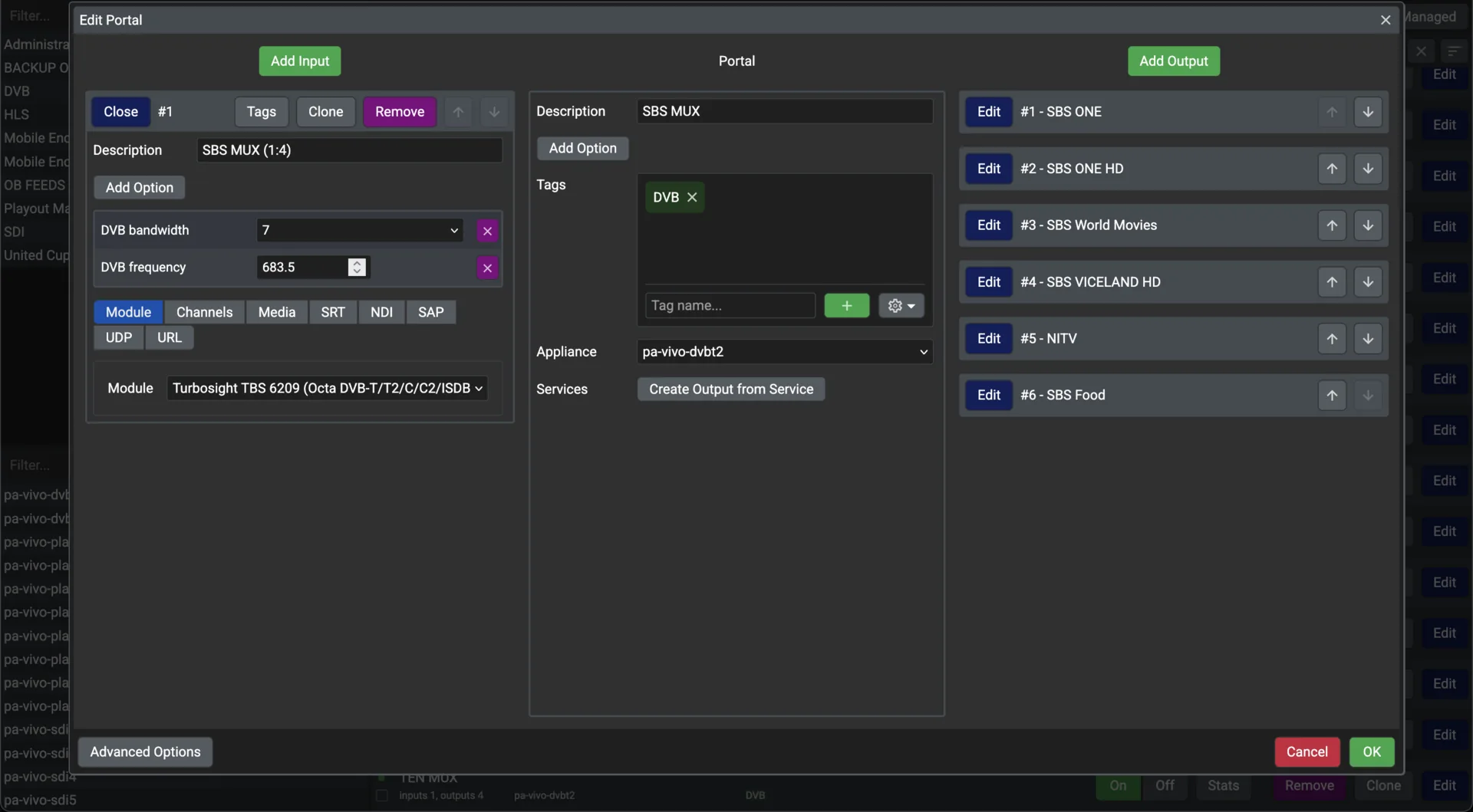
Group MG- MG-01Portal editor
- Inputs, the portal and outputs on one screen, each with Play, Tags and Options tabs
- MG-02Appliance
- Each portal runs on a named appliance; Playout and Encore create managed portals of their own
- MG-03Operations
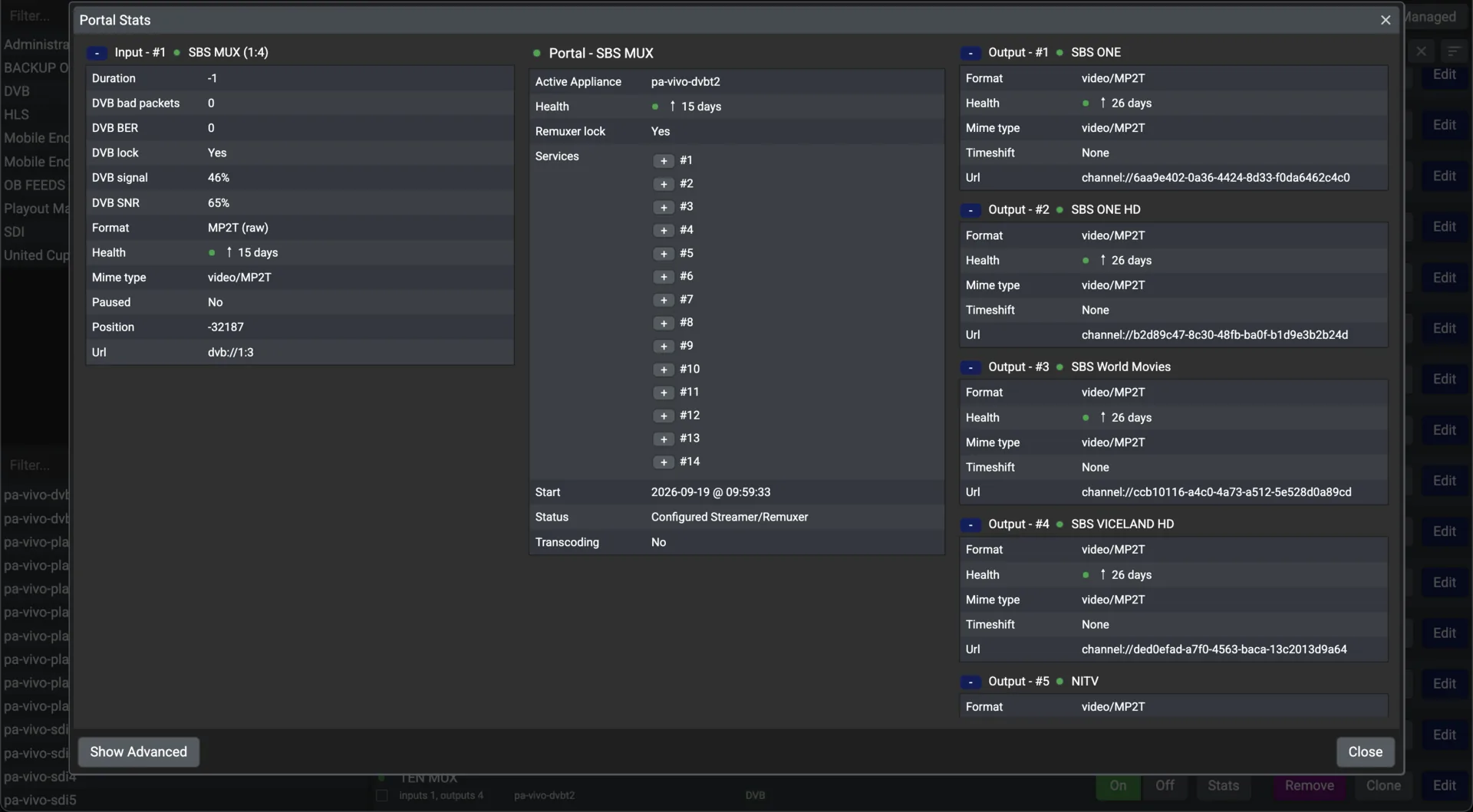
- Per-portal statistics, on and off, clone, remove, schedule
- MG-04Profiles
- Stored head-end configurations, switched in moments
04 / In the field
Where a head end earns its keep
Three deployments described in the user guide and the overview.
Stadiums, arenas and racecourses
SDI from the OB truck and the venue cameras becomes a live channel on the network, with a sponsor logo composed over it in Symphony, on every screen in the building.
Multi-site organisations
A lecture theatre in one building is encoded and sent by SRT over an ordinary internet link; Vivo in the next building receives it and multicasts it locally, where screens tune in like any other channel.
Corporate studios and events
A head end that ingests cameras, NDI sources, web pages and files, mixes and routes them, and distributes to multicast, SRT, HLS, RTMP, WebRTC, NDI or ST 2110: a broadcast studio in a rack.
End of datasheet / SV-Vivo
Tell us what you need to take in
Appliances are specified for the site: the number of channels, the sources, and how far they have to travel.